Booking options
£10

£10
On-Demand experience
4 hours
All levels
A-Z Food Science: A colouring-in activity pack
A-Z Food Science pack is a digital collection of activity pages each with a focus on food science.
Designed to entice the reluctant learner and excite the food science enthusiast this is a multiple use pack for teachers.
It offers 50 printable download sheets for students to use.
Digital presentation via whiteboard for class activity.
Ready-to-use worksheets or homework pages.
Food Science key terms link to practical activities that students are likely to have experienced.
How to use this pack:
Heads of Department could use the pack to support all food teachers in delivering consistent food science education and be sure that all the key terms needed for food examinations at GCSE level are covered.
Use of the A – Z activity pack would help non-specialist teachers, part-time teachers and teaching assistants giving one-to-one lessons. The A –Z Food Science could also be used as a revision tool, for ongoing revision or as a specific intervention for some learners.
The A – Z food science pack enriches practical teaching.
Teaching and learning outcomes:
By using this resource pack you will be able to:
Deliver food science terms using easy bite-size pages.
Enrich lessons with essential food science terminology for better food teaching.
Help your students to engage with food science via mindful colouring activities, images and short questions.
Reduce the stress when learning food science terminology and concepts needed for GSCE Food preparation and Nutrition.
Enable memorable understanding of food science literacy.
Present a unique dictionary of applied food science.
We don't take purchase orders or invoices for our courses as they are usually very small amounts. The money that we save on using automated systems is passed onto our teachers to provide very high quality, low cost courses. Booking in this way also gives you instant access.
For small amounts - a teacher could pay by card and then reclaim form the school petty cash or expenses.
For group bookings -we can make exceptions where a Trust is buying a large number of courses and have a purchase order agreement - there is sometimes a processing charge for this. If you would like to discuss it, contact us here https://food-teachers-centre.cademy.io/enquiry?type=message. Access to courses is granted once it has been paid in full.
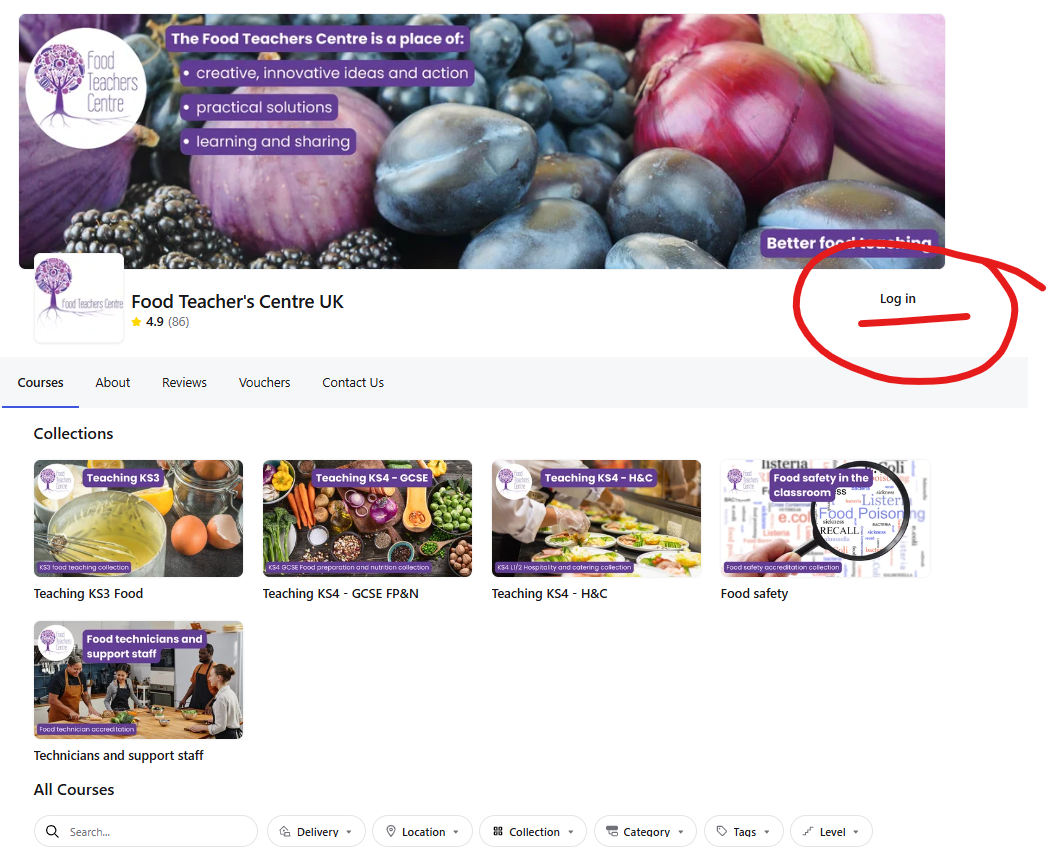
Once I have purchased my course how do I log in?
When you purchase training, you are asked to give your direct email and contact details. This email is used to log you in. TYPE IT CAREFULLY.
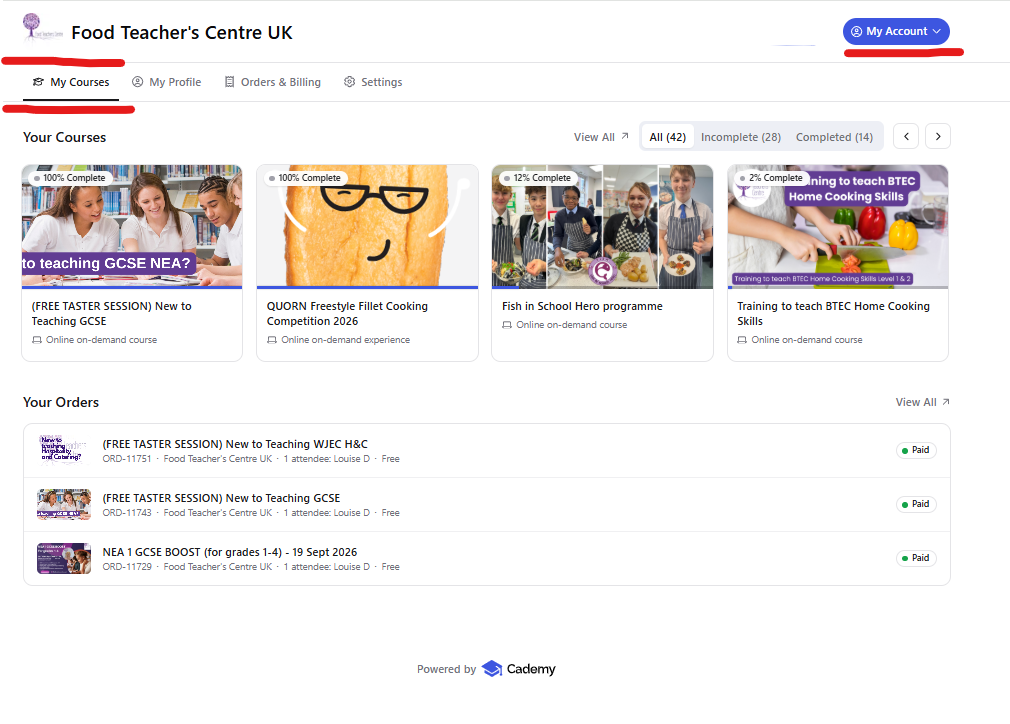
Your courses will show like this:
Can I pay by credit card? Yes, this is easy.
PayPal is our 'payment processor' for credit card and debit card payments, so you do not need to pay by your PayPal account.
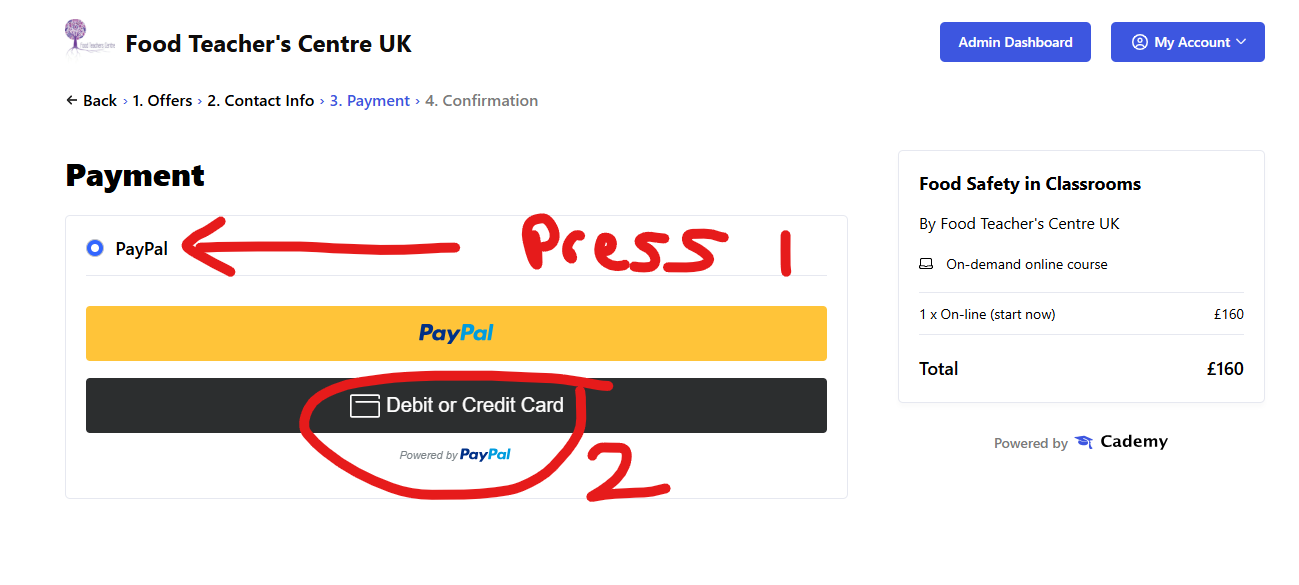
SELECT Pay Pal and then the card option will appear.
ON Demand training is INSTANT access to a number of flexible on-line modules. You do these at your own pace. Your training is unlimited. You can visit at any time.
Your training may also be supported by LIVE on line meetings and access to a CHAT FORUM to ask questions.
How quickly can I access my course?
Paying on-line provides INSTANT access to the course content. Once you have paid, you will receive an email with instructions on how to log in. Do check you spam or junk as sometimes mail can hide there!
LOG IN HERE https://food-teachers-centre.cademy.io/
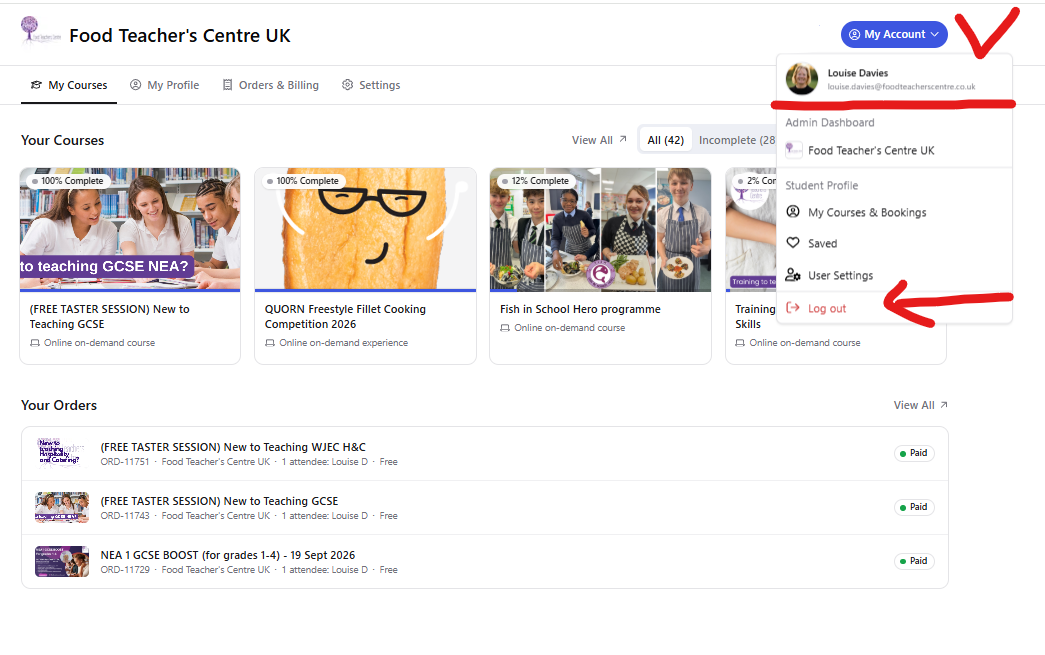
Your courses will show once logged in:
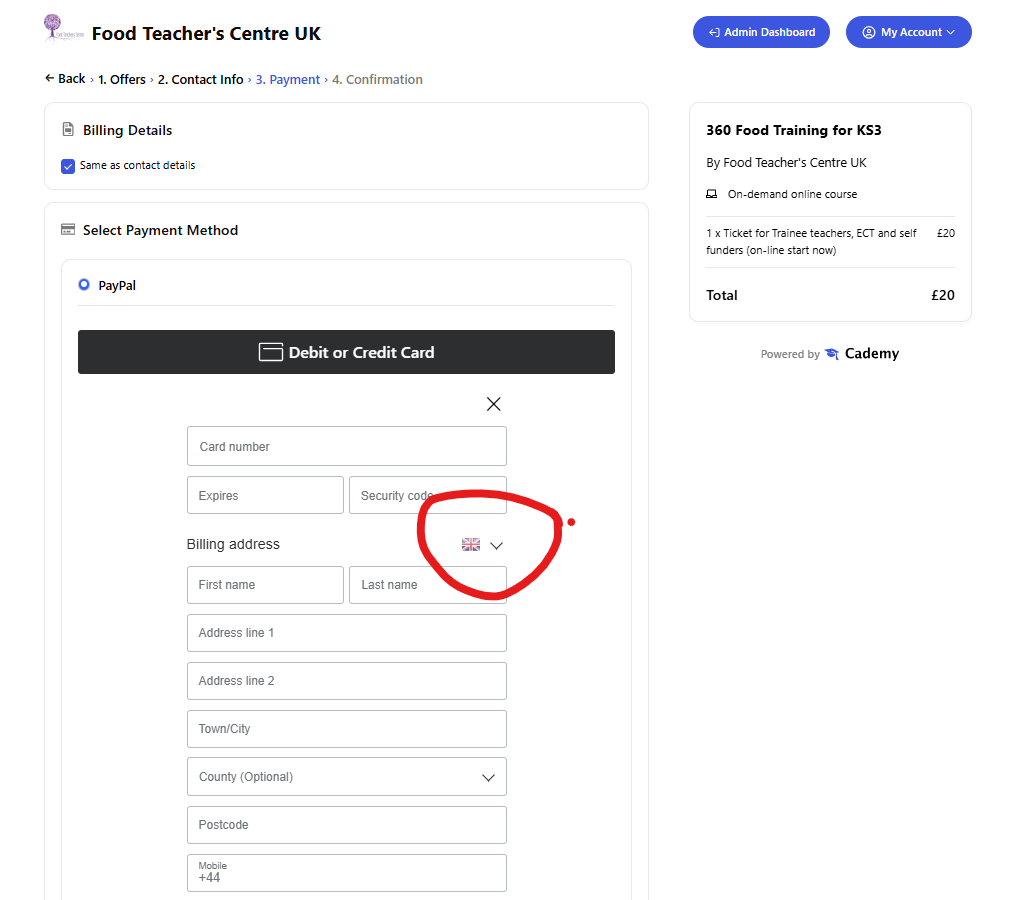
If you are filling in the billing details and its is showing the wrong fields for your country - you should select the flag on the country using the drop-down shown in the image below, then it will show the correct fields.
UK does not have State or Zip codes - select UK for Postcodes
If you have created two accounts on Cademy, this can cause users some problems. Your computer saves your log in details in the cookies. So you need to log out and log in with your school address - or clear the cookies for the site. You might also solve this using an 'INCOGNITO' browser tab
Help to Clear your Cookies- https://support.google.com/chrome/answer/95647?hl=en-GB&co=GENIE.Platform%3DDesktop
Help to Use incognito browser https://support.google.com/chrome/answer/95464?hl=en-GB&co=GENIE.Platform%3DDesktop
Its the main reason we suggest that people ONLY use their school log in. We can merge your personal account onto your school account on request.
If the page will not load when you click on the START COURSE button or have a red box ERROR MESSAGE saying 'there was an issue loading the order'.
Seek help from your school IT SUPPORT, as this shows that your school FIREWALL is blocking the site locally. You can test if your school is blocking your course by trying to access via:
If it works outside the school network, the next step would be to ask your school IT team to allow access to Cademy, especially:
cademy.ioapi.cademy.io*.cademy.io