Booking options
£25

£25
On-Demand course
6 hours
All levels
About this training
NEA Together provides live meetings and recorded presentations for NEA support. Training includes how to prepare yourself and candidates for NEA, how to carry it out, and how to mark and moderate NEA. You will have access to the NEA Together training room for one year.
Training outcomes
By the end of the sessions teachers/trainers will be able to:
● explain the structure and criteria for their exam boards NEA
● analyse the current NEA tasks
● outline how to plan and prepare for NEA
● outline how NEA will be implemented with their learners
● explain how to undertake marking for NEA and describe the process of giving effective feedback.
Why this course is useful
The training will provide effective professional development by giving:
● guidance and information on the structure and implementation of the specification in particular NEA and the current NEA task
● practical ideas to help with teaching and assessment
● a focus on essential content to support the delivery of NEA
● advice and guidance for planning, preparing, marking and moderating NEA
● a collaborative approach and support from experienced teacher practitioners and trainers
● signposting to reliable supporting resources for NEA
What training standards are met?
No.1 Developing professional development.
No.3 Teaching the curriculum.
No. 5 Teaching food preparation and cooking.
Standards are from the government framework: Food teaching in secondary schools: A framework of knowledge and skills.
What this course provides
For WJEC Hospitality and Catering L1-2 we have:
1. New to Teaching H&C NEA?
2. Planning for NEA tasks (released 1st Sept, new tasks EACH YEAR)
3. Marking and Moderating
There are also dedicated Q&A sessions where you are able to seek help and ask questions.
What teachers say
“Wonderful resources - the best CPD I have had in 13 years of teaching.”
“I have found some really useful resources - including presentations on things to check when marking the NEAs and the evidence which the moderators want to have clearly marked. If you haven't been to any of the NEA Together events, then this could be a really good option for you. It's pretty budget friendly as well.”
“I have to say it's a brilliant resource. It's very easy to navigate around the site & dip in and out of the sections that you want to use. Lots of excellent resources … I think the donation is worth it, especially to have all the resources in one place.”
Booking
This YEAR LONG ticket gives access to ALL live on-line meetings throughout the year for your board
PLUS UNLIMITED access to the full training programme listed below. These are pre-recorded modules you can follow at your own pace.
NEW THIS YEAR: LIVE Q&A Forum to ask any questions about NEA throughout your training.
We don't take purchase orders or invoices for our courses as they are usually very small amounts. The money that we save on using automated systems is passed onto our teachers to provide very high quality, low cost courses. Booking in this way also gives you instant access.
For small amounts - a teacher could pay by card and then reclaim form the school petty cash or expenses.
For group bookings -we can make exceptions where a Trust is buying a large number of courses and have a purchase order agreement - there is sometimes a processing charge for this. If you would like to discuss it, contact us here https://food-teachers-centre.cademy.io/enquiry?type=message. Access to courses is granted once it has been paid in full.
Can I pay by credit card? Yes, this is easy.
PayPal is our 'payment processor' for credit card and debit card payments, so you do not need to pay by your PayPal account.
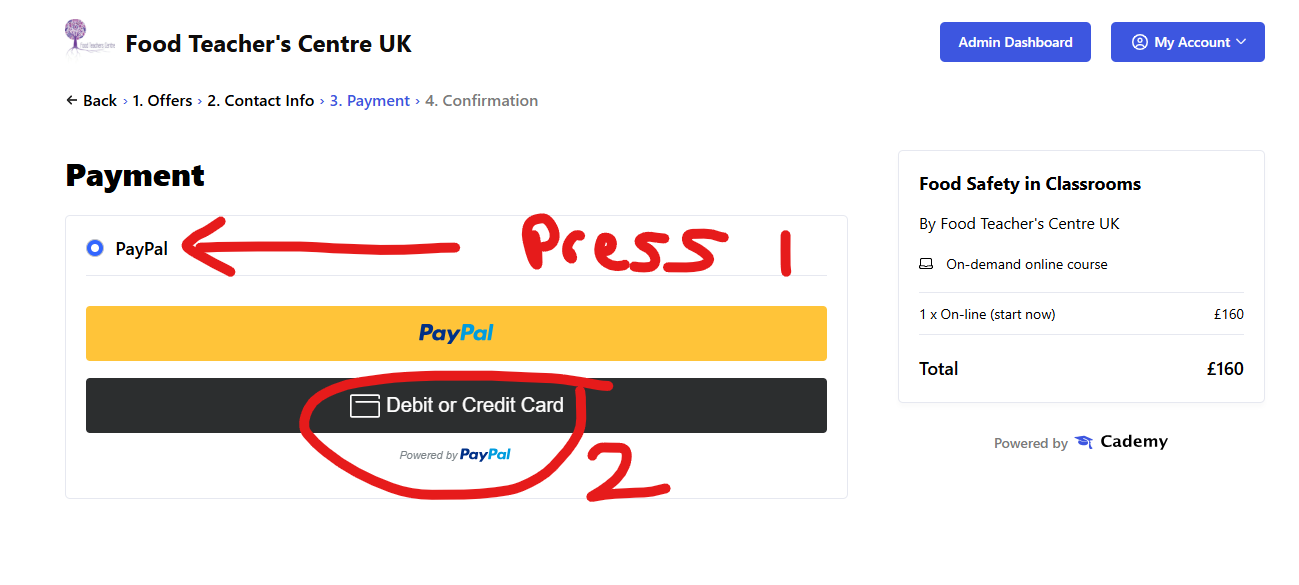
SELECT Pay Pal and then the card option will appear.
ON Demand training is INSTANT access to a number of flexible on-line modules. You do these at your own pace. Your training is unlimited. You can visit at any time.
Your training may also be supported by LIVE on line meetings and access to a CHAT FORUM to ask questions.
How quickly can I access my course?
Paying on-line provides INSTANT access to the course content. Once you have paid, you will receive an email with instructions on how to log in. Do check you spam or junk as sometimes mail can hide there!
LOG IN HERE https://food-teachers-centre.cademy.io/
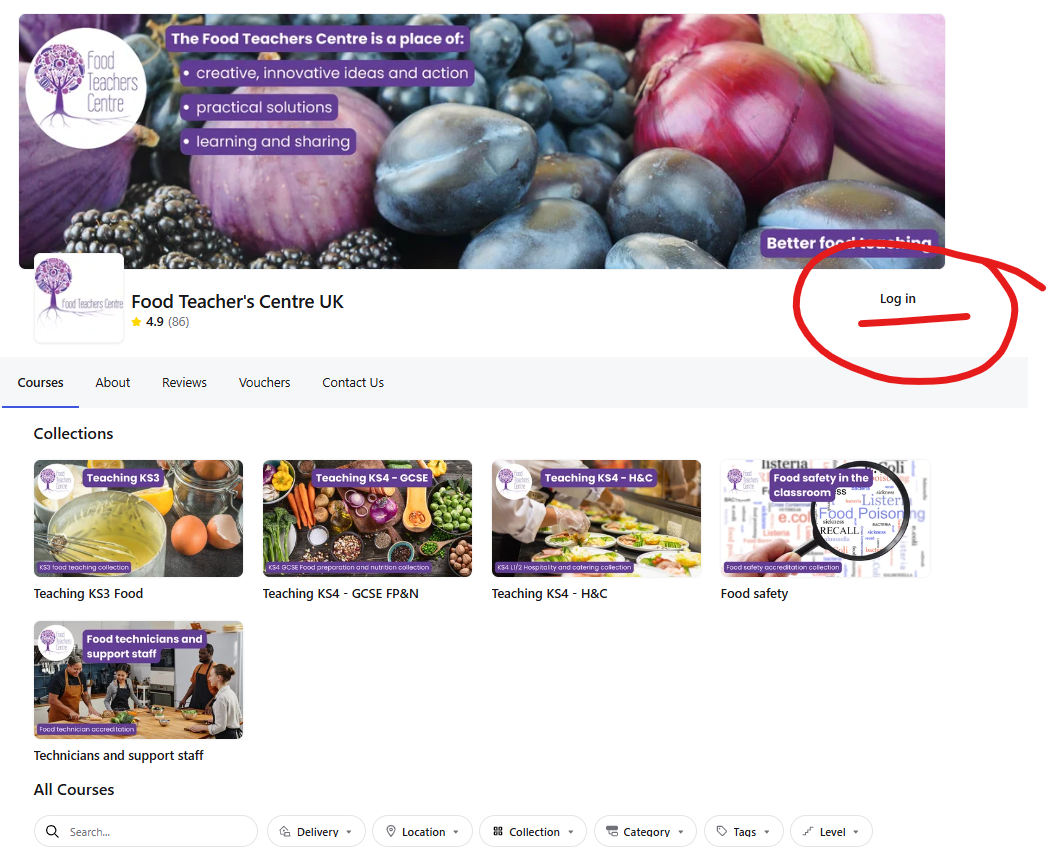
Your courses will show once logged in:
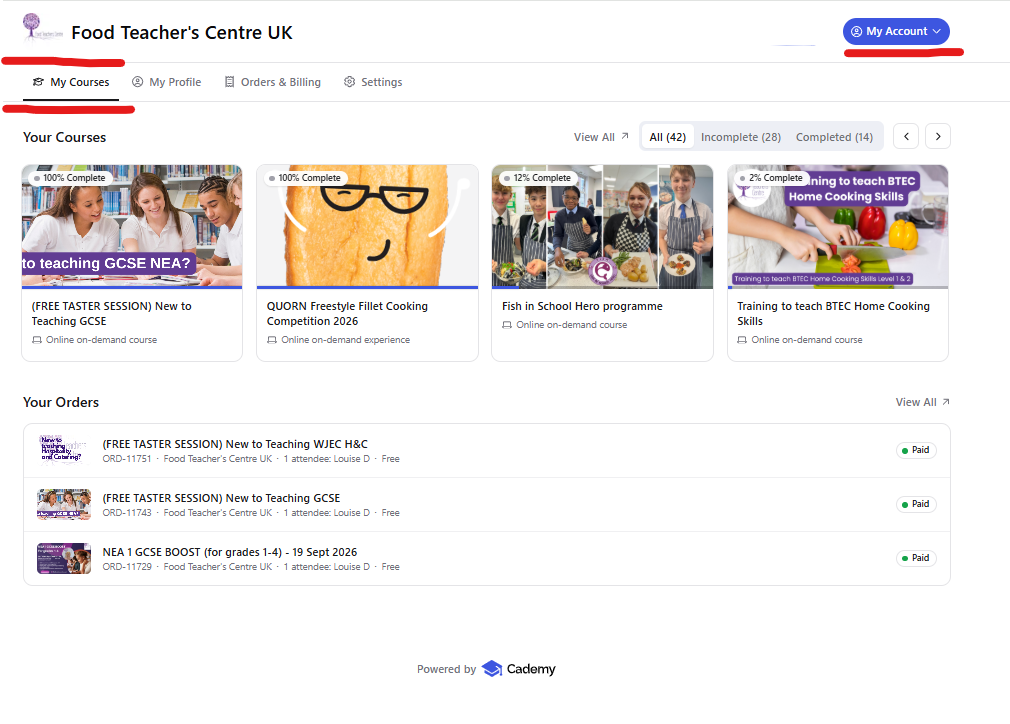
Once I have purchased my course how do I log in?
When you purchase training, you are asked to give your direct email and contact details. This email is used to log you in. TYPE IT CAREFULLY.
Your courses will show like this:
If the page will not load when you click on the START COURSE button or have a red box ERROR MESSAGE saying 'there was an issue loading the order'.
Seek help from your school IT SUPPORT, as this shows that your school FIREWALL is blocking the site locally. You can test if your school is blocking your course by trying to access via:
If it works outside the school network, the next step would be to ask your school IT team to allow access to Cademy, especially:
cademy.ioapi.cademy.io*.cademy.io