Booking options
Free

Free
On-Demand course
30 minutes
All levels
This is a free course taster so that you can experience one of the many helpful presentations on offer as part of our training.
Take a few moments to sample some CPD and see if our training will benefit your teaching.
Afterwards, you can get further information and enroll in the full course here (£240)
hthttps://food-teachers-centre.cademy.io/home-cooking-skills
We don't take purchase orders or invoices for our courses as they are usually very small amounts. The money that we save on using automated systems is passed onto our teachers to provide very high quality, low cost courses. Booking in this way also gives you instant access.
For small amounts - a teacher could pay by card and then reclaim form the school petty cash or expenses.
For group bookings -we can make exceptions where a Trust is buying a large number of courses and have a purchase order agreement - there is sometimes a processing charge for this. If you would like to discuss it, contact us here https://food-teachers-centre.cademy.io/enquiry?type=message. Access to courses is granted once it has been paid in full.
Can I pay by credit card? Yes, this is easy.
PayPal is our 'payment processor' for credit card and debit card payments, so you do not need to pay by your PayPal account.
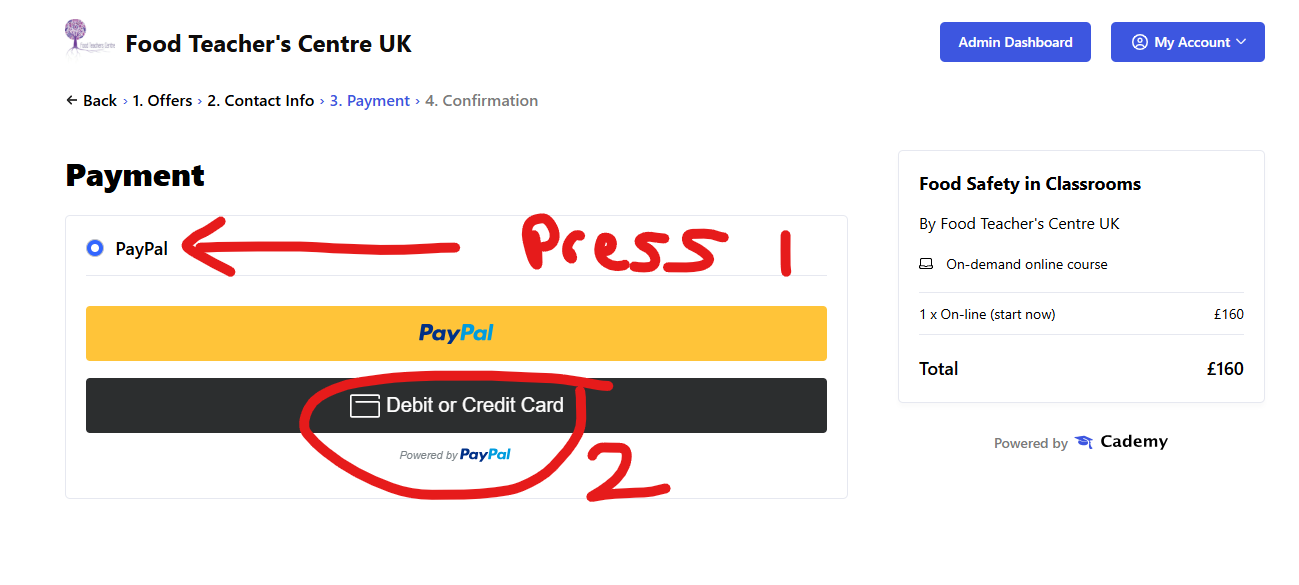
SELECT Pay Pal and then the card option will appear.
ON Demand training is INSTANT access to a number of flexible on-line modules. You do these at your own pace. Your training is unlimited. You can visit at any time.
Your training may also be supported by LIVE on line meetings and access to a CHAT FORUM to ask questions.
How quickly can I access my course?
Paying on-line provides INSTANT access to the course content. Once you have paid, you will receive an email with instructions on how to log in. Do check you spam or junk as sometimes mail can hide there!
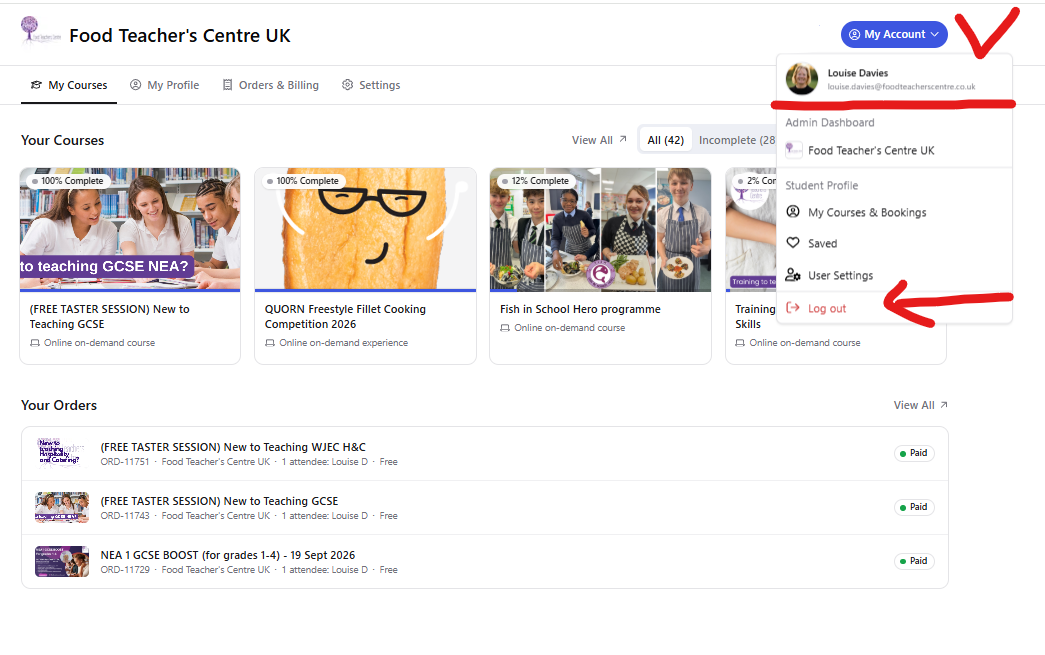
LOG IN HERE https://food-teachers-centre.cademy.io/
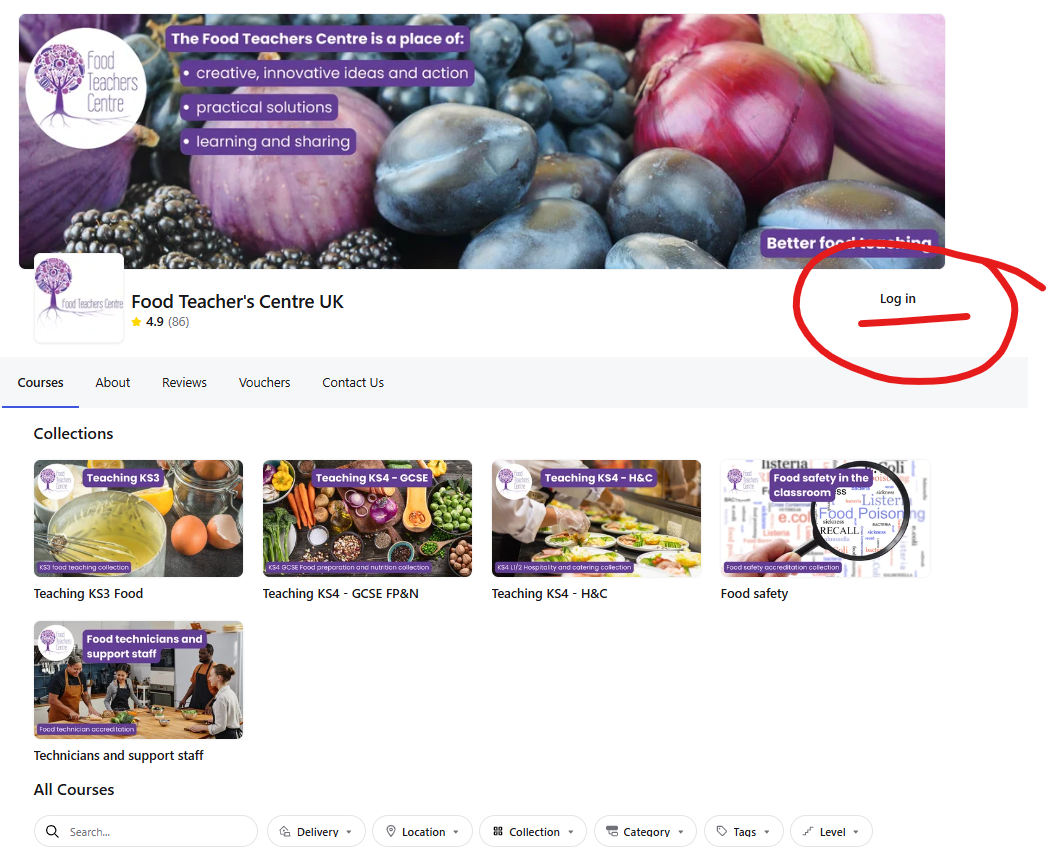
Your courses will show once logged in:
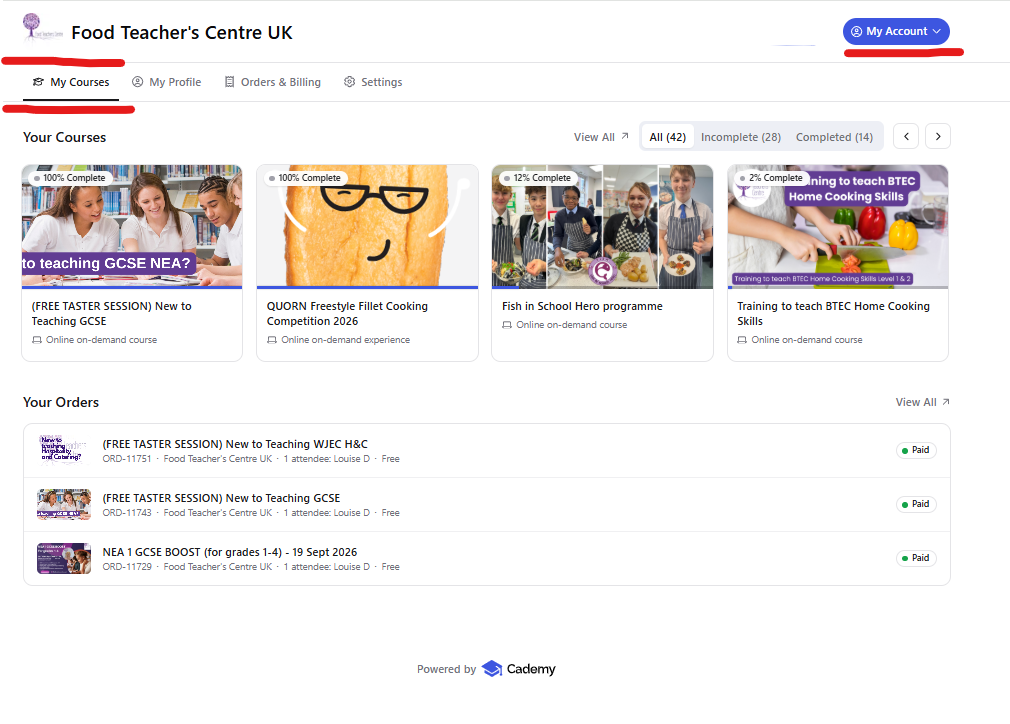
Once I have purchased my course how do I log in?
When you purchase training, you are asked to give your direct email and contact details. This email is used to log you in. TYPE IT CAREFULLY.
Your courses will show like this:
If you have created two accounts on Cademy, this can cause users some problems. Your computer saves your log in details in the cookies. So you need to log out and log in with your school address - or clear the cookies for the site. You might also solve this using an 'INCOGNITO' browser tab
Help to Clear your Cookies- https://support.google.com/chrome/answer/95647?hl=en-GB&co=GENIE.Platform%3DDesktop
Help to Use incognito browser https://support.google.com/chrome/answer/95464?hl=en-GB&co=GENIE.Platform%3DDesktop
Its the main reason we suggest that people ONLY use their school log in. We can merge your personal account onto your school account on request.
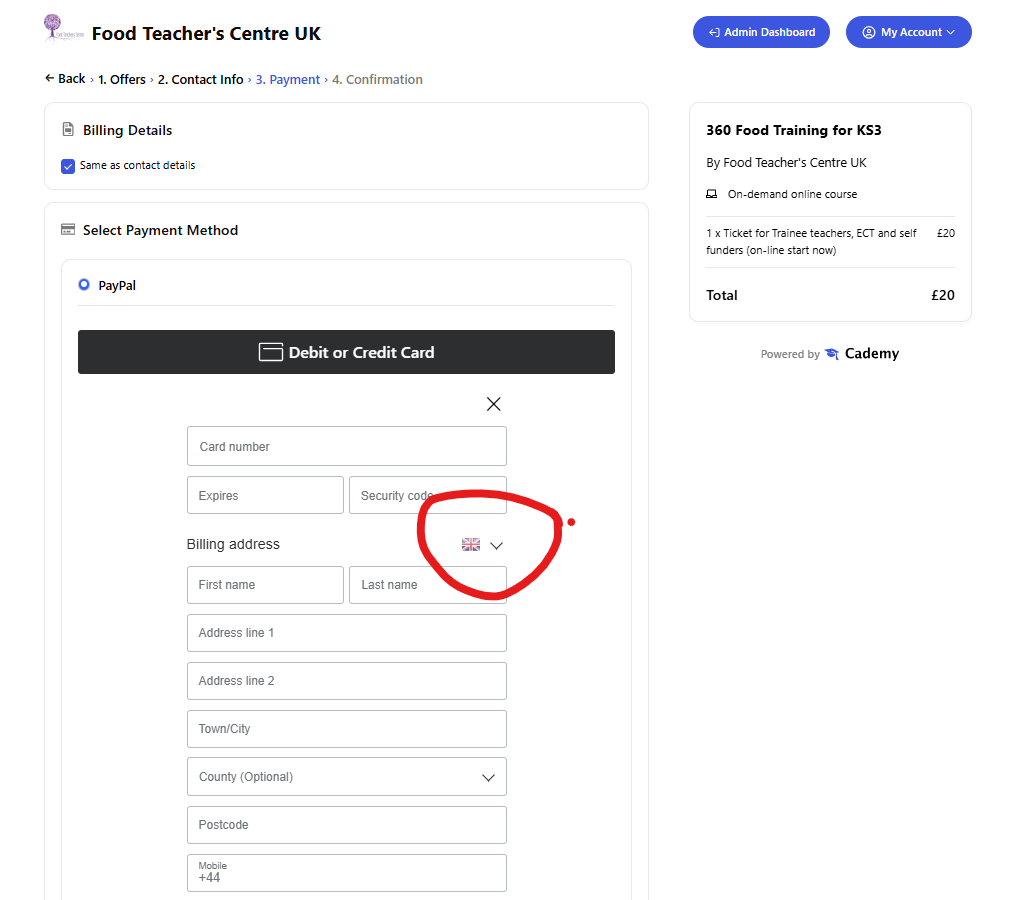
If you are filling in the billing details and its is showing the wrong fields for your country - you should select the flag on the country using the drop-down shown in the image below, then it will show the correct fields.
UK does not have State or Zip codes - select UK for Postcodes
If the page will not load when you click on the START COURSE button or have a red box ERROR MESSAGE saying 'there was an issue loading the order'.
Seek help from your school IT SUPPORT, as this shows that your school FIREWALL is blocking the site locally. You can test if your school is blocking your course by trying to access via:
If it works outside the school network, the next step would be to ask your school IT team to allow access to Cademy, especially:
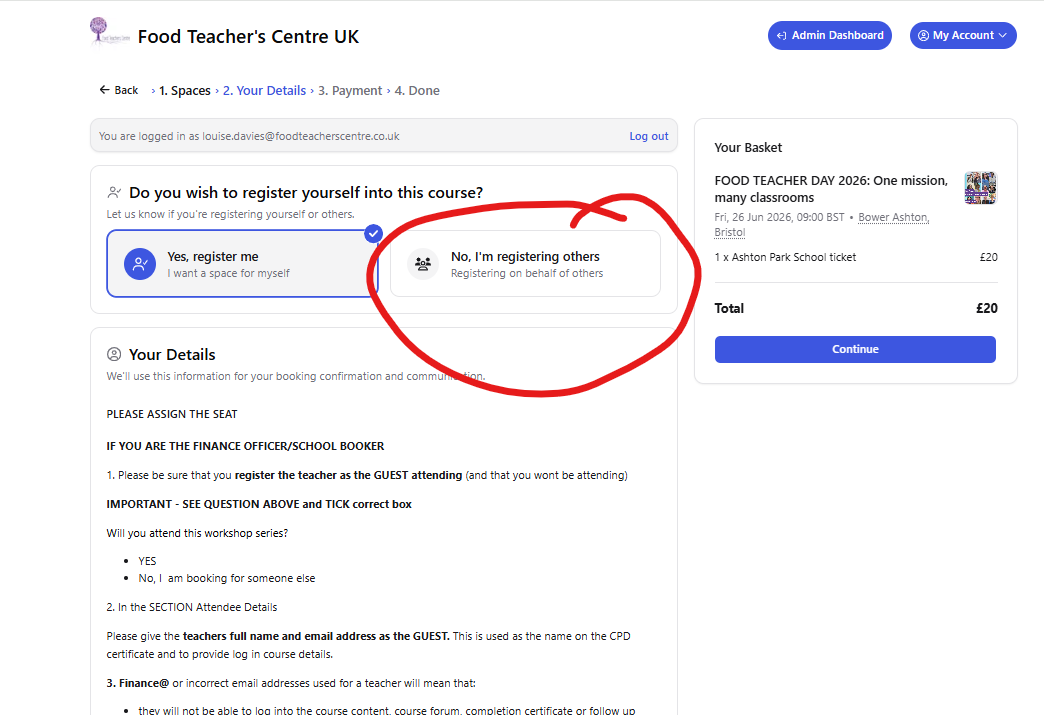
cademy.ioapi.cademy.io*.cademy.ioAt the start of the booking process be careful to select the correct box at the top
Let us know if you're registering yourself or others.
SELECT
No, I'm registering others Registering on behalf of others
If you have not received information about an event or course you are attending, it may be because we use an emailing service rather than a personal email address to communicate with you.
1. Do check that our emails are not in your junk or spam folder. Search for emails from <notifications@system.cademy.io>
2. Ask your school IT to unblock emails from this email address and add to a safe sender list - Food Teacher's Centre UK (via Cademy) <notifications@system.cademy.io>